Body | IssueA user attempts to deactivate their license installation as described in this article: Activate Your Brady Software License On a New PC After a Hard Drive Wipe or PC Crash
However, their license already shows as deactivated with no activations remaining.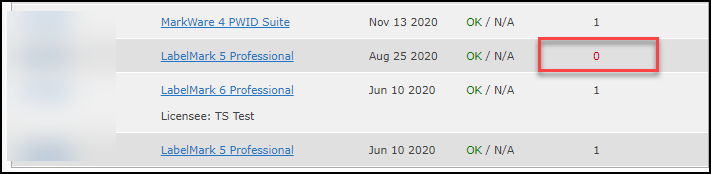 CauseThis situation can occur if the license was originally activated by phone and then end user attempted to perform a failed license transfer. Activating by phone decrements the number of available activations without the ability to increment using the deactivation method. Deactivation will only increment the number of available activations when the original activation was performed online. ResolutionContact Brady Technical Support for your region to have the license reset: Global Brady Technical Support Contact Information See Also CauseThis situation can occur if the license was originally activated by phone and then end user attempted to perform a failed license transfer. Activating by phone decrements the number of available activations without the ability to increment using the deactivation method. Deactivation will only increment the number of available activations when the original activation was performed online. ResolutionContact Brady Technical Support for your region to have the license reset: Global Brady Technical Support Contact Information See Also
|
|
|---|