The error messages are found in the Brady Automation Monitor by selecting the Print Job History button.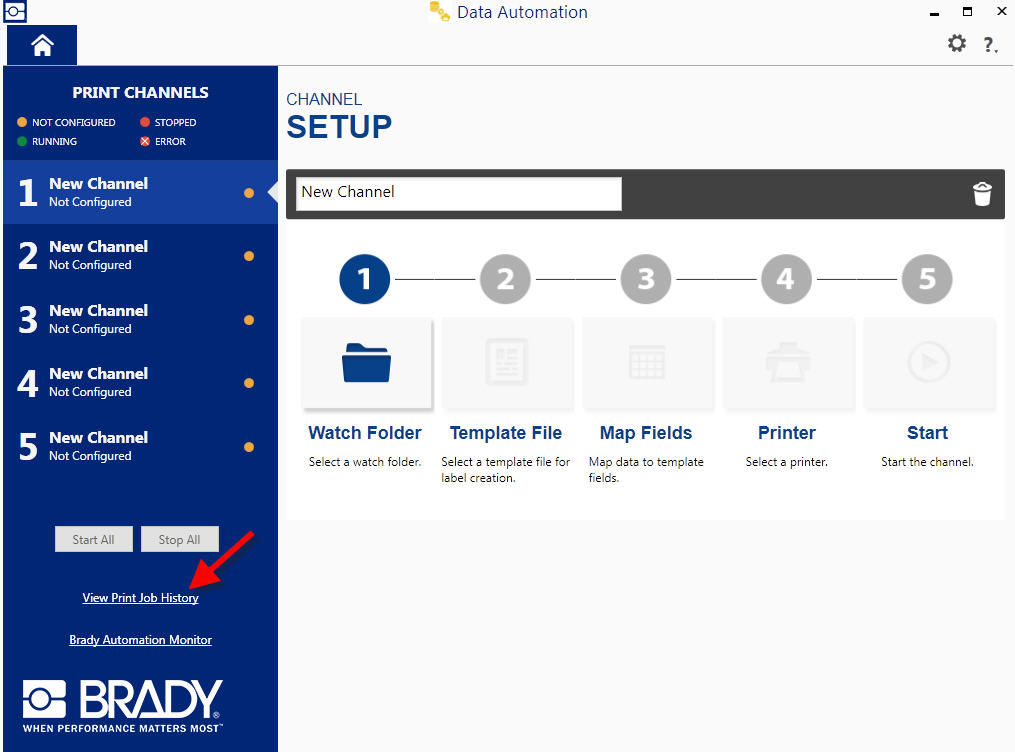
Then select your specific Data Automation channel to view the error messages and the status of print jobs in each channel. Status, Date/Time, Channel, Printer, and Job Code data can be viewed.
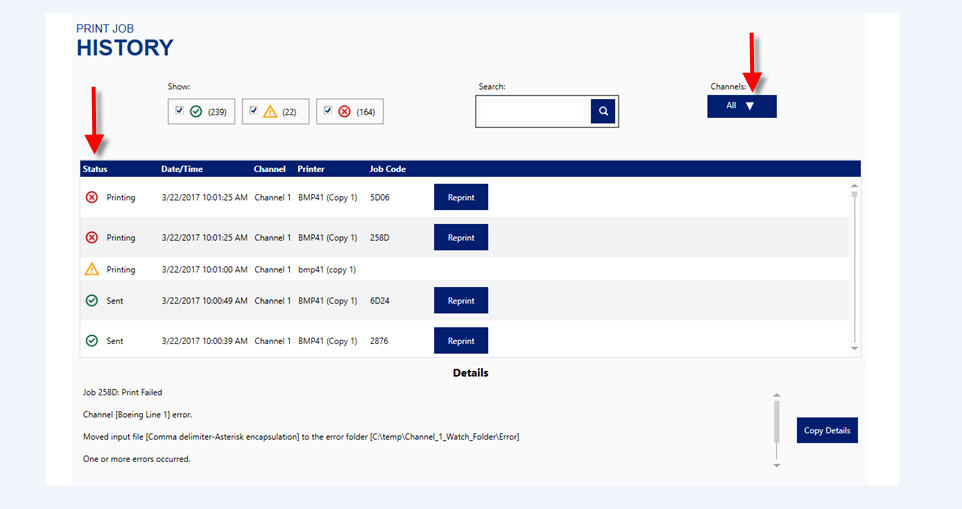
We monitor the driver print queue to make sure it is in a good state and requested jobs are moving out.
- If user tries to print while print queue is paused, they will receive a warning in the job history.
- If user tries to print with errors in print queue, they will receive an error in the job history.
- If print jobs have been sitting in the print queue for 5 minutes, the user will receive an error in the job history.
If you have any questions, please contact your regional Brady Technical Support.